

Do you need to upgrade to the Cloud? Click Here
Titronics: The leader in Chiropractic Thermography
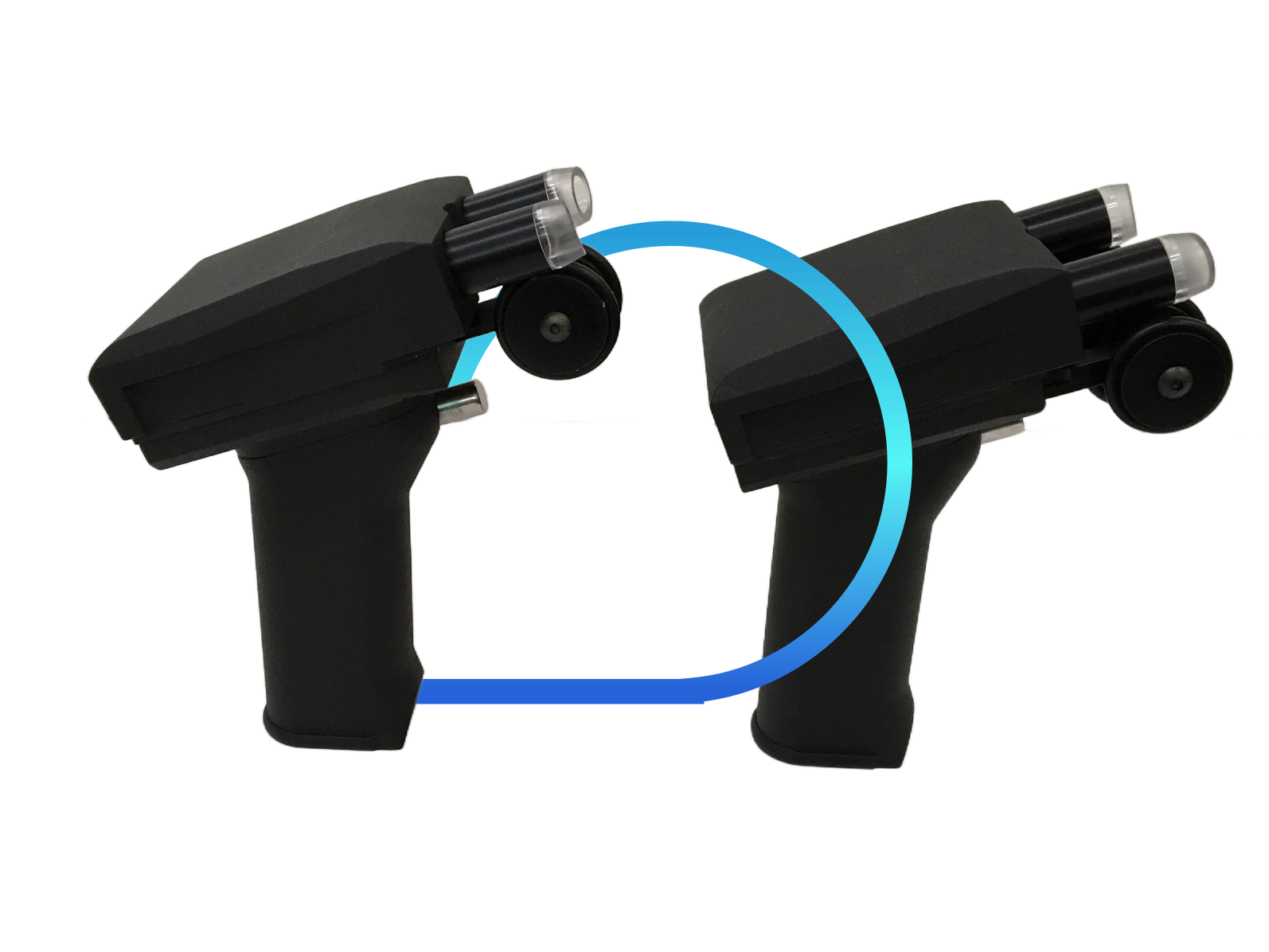


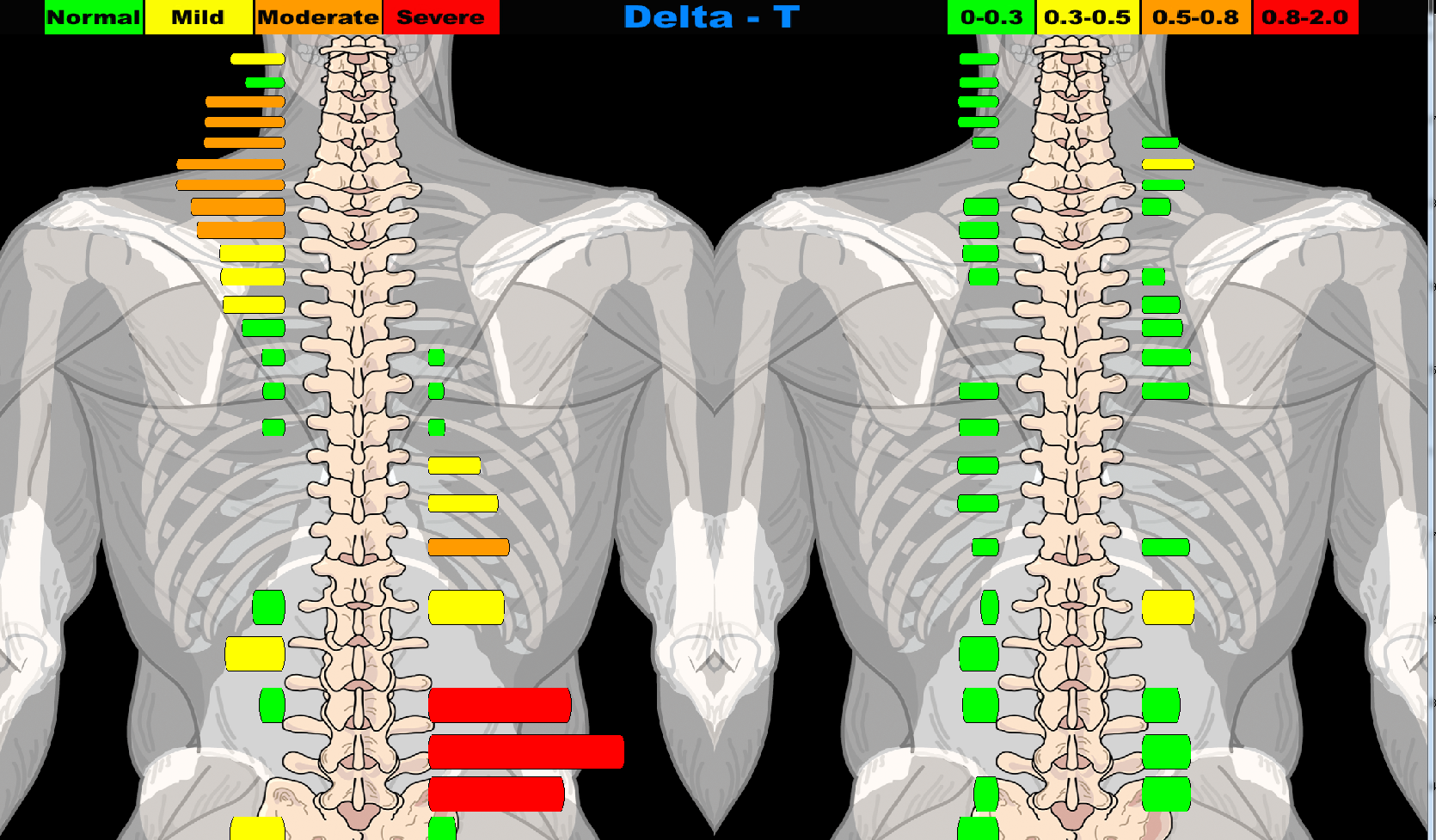

Whether you are opening a new clinic, building a patient base, or maintaining the patients you already have, Tytron is the best investment you can make. The Tytron effectively educates your patients on their chiropractic needs.
There are 2 Tytron models available, both are rugged, reliable, precise, accurate, dependable, and used by the profession in research, and to prove research results.
The USB interface allows you to quickly and easily plug & unplug the USB cord into the base of the scanner so you are able to seamlessly move the Tytron between rooms in your office. Your calibration numbers are stored within the unit so there is no need for an additional CD. Plus, the device is powered through the USB connection so there is no need for an additional power supply. In summary, the USB connectivity, coupled with enhanced networking features, allows you to move more freely from room to room with just one scanner.
The Tytron C-5000 also incorporates new design innovations that improve upon our already well-known accuracy and durability. The sensitivity is identical, as the sensor technology has not changed. However, we have circuitry now allows it to communicate directly to the USB port.
The support structure for the guide wheels is now machined out of rugged aircraft quality aluminum. New distance sensors, used to monitor the rotation of the distance measuring wheel, have been developed to ensure the most reliable results. These changes make the C-5000 the most robust thermographic scanner yet.
The USB cable will be much lighter (not coiled) and easily replaced as it will plug into the base of the scanner.
The wireless interface allows you freedom you once thought was impossible in your office. Your calibration numbers are stored within the unit so there is no need for an additional CD. Plus, the device is powered via an embedded rechargeable battery so there is no need for an additional power supply.
Wireless is the way of the future. It’s time to embrace it and free up your office!
The Tytron C-7000 also incorporates new design innovations that improve upon our already well-known accuracy and durability.
The sensitivity is identical, as the sensor technology has not changed. The support structure for the guide wheels is now machined out of rugged aircraft quality aluminum. New distance sensors, used to monitor the rotation of the distance measuring wheel, have been developed to ensure the most reliable results. These changes make the C-7000 the most robust thermographic scanner yet.
The support structure for the guide wheels is now machined out of rugged aircraft quality aluminum. New distance sensors, used to monitor the rotation of the distance measuring wheel, have been developed to ensure the most reliable results. These changes make the C-5000 the most robust thermographic scanner yet.
The USB cable is much lighter (not coiled) and easily replaced as it will plug into the base of the scanner.
Titronics is under FDA guild lines. This means that Titronics is responsible for keeping a record of where the devices are. A transfer of a scanner from Doctor to Doctor can be done over the phone. There is a transfer fee involved. Call the office for more information. 319-545-7377.
Bluetooth has a range of 10 meters barring interference from furniture, walls, people and etc.
Once a patient is selected via the Load Patient File function, the scanning process itself is fully automated.
1. Pick up the scanner by its handle. Do not touch any part of the scanner head. (This is the area above the handle that is separated by a white or black thermal shield). Touching the scanner head can temporarily affect scan accuracy.2. Place the wheels on the patient while maintaining the probe tips just above the surface of the skin. Evenly space the probes over the center of the spine. When performing full spine scans, carefully palpate for the first sacral segment and place the probes one centimeter below this level. If only scanning the cervical spine, carefully palpate for the first thoracic segment and begin the scan here. Use only spinous process palpation to locate starting points. Any palpation over the paraspinal surfaces will alter true thermal data collection.3. Pull the trigger, but do not begin scanning immediately! A tone sounds(if sound is enabled), along with a screen prompt reading Initializing Sensors. A second tone sounds to signal to begin the scan, along with a screen prompt reading Scanning. A voice prompt may also be selected by going to the Scans Tab under The Setup Button.4. Begin scanning from the lower back towards the head with an even cadence while maintaining the probe tips just off the skin. When the hairline is encountered, gently press the probes down onto the skin to displace the hair. Stop the scan when the occiput is encountered and release the trigger before lifting the scanner off the spine. A proper scan cadence will yield approximately 20 seconds for a full spine and 8 seconds for a cervical spine scan. Once the scan finishes it will immediately display on the line graph screen. If the patient’s pattern or a previous scan has been performed on the same day, the current scan is automatically overlaid. To perform a scan without a pre scan or pattern overlay, simply hit the S key while at the home screen. Hitting the Esc key, or clicking the X in the upper right area of the screen or hitting Enter saves the last scan preformed. The exceptionally high repeat-ability of the Tytron is dependent upon the scanner’s left wheel encoder maintaining rolling contact with the patient through the termination point of the scan. It is recommended that the patient be in the same position/posture for each scan to ensure repeat-ability. The reference point of each scan is the termination point (with the exception of scanning infants). Thus, the termination point of the scan is established when the scanner’s probes reach the occiput.
The USB interface allows you to quickly and easily plug & unplug the USB cord into the base of the scanner so you are able to seamlessly move the Tytron between rooms in your office. Your calibration numbers are stored within the unit so there is no need for an additional CD. Plus, the device is powered through the USB connection so there is no need for an additional power supply. In summary, the USB connectivity, coupled with enhanced networking features, allows you to move more freely from room to room with just one scanner.
The Tytron C-5000 also incorporates new design innovations that improve upon our already well-known accuracy and durability. The sensitivity is identical, as the sensor technology has not changed. However, we have circuitry now allows it to communicate directly to the USB port.
The support structure for the guide wheels is now machined out of rugged aircraft quality aluminum. New distance sensors, used to monitor the rotation of the distance measuring wheel, have been developed to ensure the most reliable results. These changes make the C-5000 the most robust thermographic scanner yet.
The USB cable will be much lighter (not coiled) and easily replaced as it will plug into the base of the scanner.
Connect Bluetooth dongle, wait for drivers to load, Follow instructions as if Bluetooth is built in.
To charge the Blue Tooth scanner, you will use the provided usb cord to the wall outlet. The scanner uses a cell phone battery, so you will want to charge it every night.
If the light on top is blinking it is ready to connect, a solid means it is connected, off means the battery is dead or its plugged in.
It can connect to multiple computers. Once the patient is unloaded the light should start flashing meaning it’s ready to connect to a different computer. When you load a patient the light should go solid showing the connection. Once it is connected it can’t connect to another until you disconnect by unloading the patient.
Bluetooth has a range of 10 meters barring interference from furniture, walls, people and etc.
The drivers are on your Flash Drive under the Folder labeled DRIVERS.
Download them HERE.
A C&C includes:
* All repairs/C&C start at $395.00 plus shipping back. If a unit comes in that needs additional work, we only contact the owner if the bill looks to be greater than $750.00 (without shipping).
**It is suggested that C5000 scanners come in at least every 5 years for recalibration to ensure accuracy per FDA guidelines. If a Bluetooth scanner, Wireless scanner, or ROM has a battery, it is suggested that you send it in every 2-3 years for battery replacement.
© All Rights Reserved.